



Bunker Research Unlocker YimMenu V2: A Step-by-Step Guide to Unlocking All Bunker Research in GTA V
Introduction
The Bunker Research Unlocker YimMenu V2 is a Lua Script developed for GTA V users utilizing the YimMenu Mod Framework. The purpose of this Utility Script is to simplify and accelerate the research item unlocking process inside the Bunker in GTA V. With this Script, the time and money needed to obtain Military Grade Upgrades and Modifications are greatly reduced. The Bunker Research Unlocker is an excellent choice for those familiar with modding scripts, or for anyone interested in modding for GTA V.
What Does the Bunker Research Unlocker Do?
The Bunker Research Unlocker is a special-purpose script specifically built to utilize YimMenu’s Capabilities to unlock all 51 research items contained in the Bunker System in GTA V. The Bunker represents an important location in GTA Online, which allows players to research and create enhanced versions of various weapons, vehicles and Tactical Equipment. Typically, the enhancements need thousands of dollars and/or many hours of playtime to unlock via normal gameplay. However, the Bunker Research Unlocker allows players to eliminate the grind associated with researching each upgrade individually.
The Bunker Research Unlocker is ideal for players that wish to experience all aspects of the game without expending countless hours playing redundant research missions. The script would also be beneficial to content creators, speed runners, and players that enjoy other aspects of the game but do not want to spend hours playing research missions.
Key Features
51 Complete Categories of Research Items
The script covers most all major categories of research found within the Bunker, including:
Vehicle-based Weapon Systems (APC SAM Batteries, Missile Launchers, Autocannons)
Weapon Attachments/Modifications for MkII Firearms
Various Types of Ammunition (Incendiary Rounds, Armor-Piercing Rounds, Explosive Rounds)
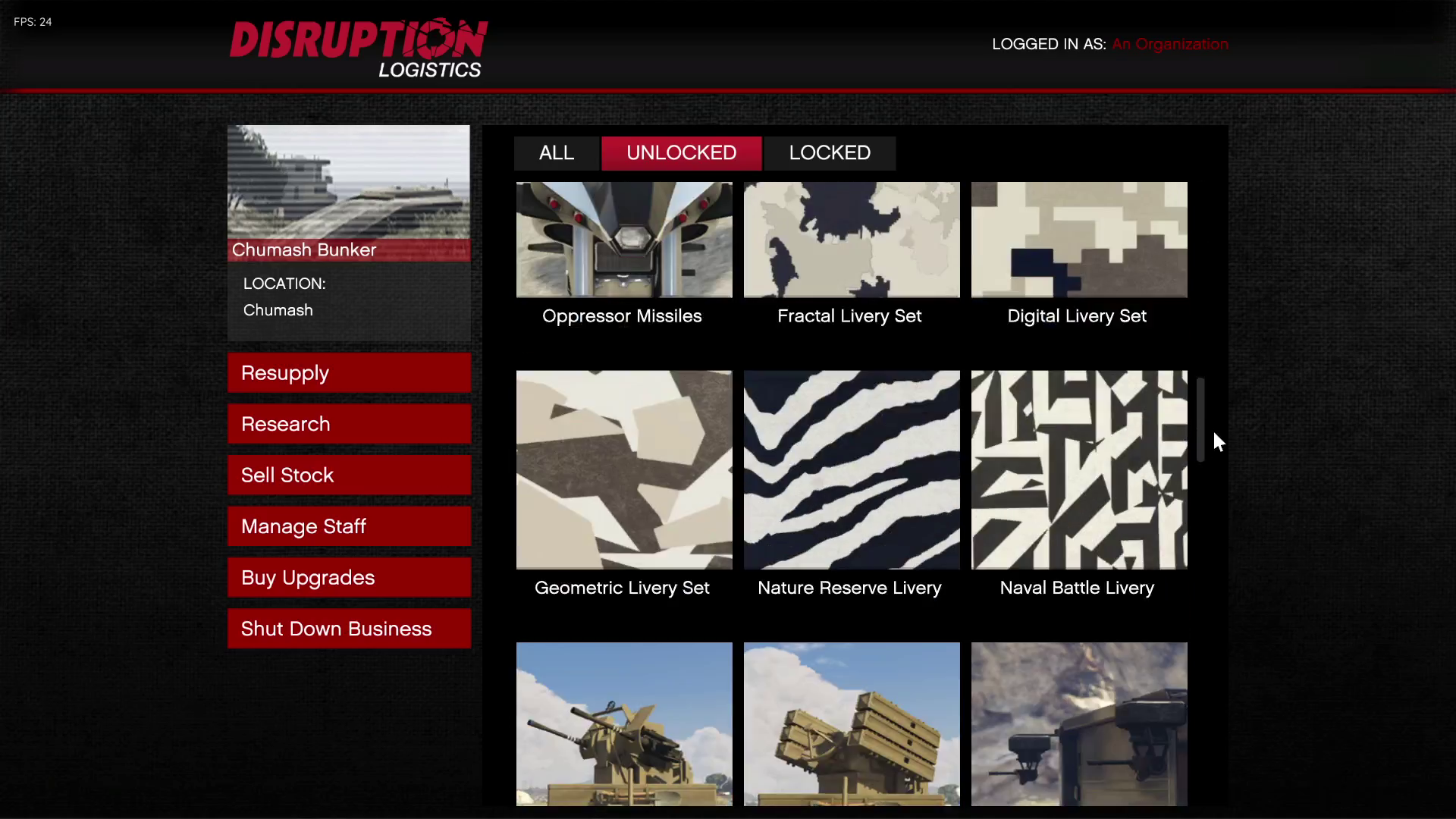
Vehicle Liveries/Cosmetic Options
Other Specialized Items (Proximity Mines, Thermal Scopes)
Dual Unlock Methods
The script contains two ways to unlock the research items. The “Unlock All” Button will cause all research items to become unlocked immediately. The “Unlock All” Button is best suited for players who desire full access to all items without needing to select each one individually. On the other hand, there are individual unlock buttons for each item. These buttons provide granular control over which research items are unlocked. They are best used by players who only need certain items unlocked at specific times.
User-Friendly Interface
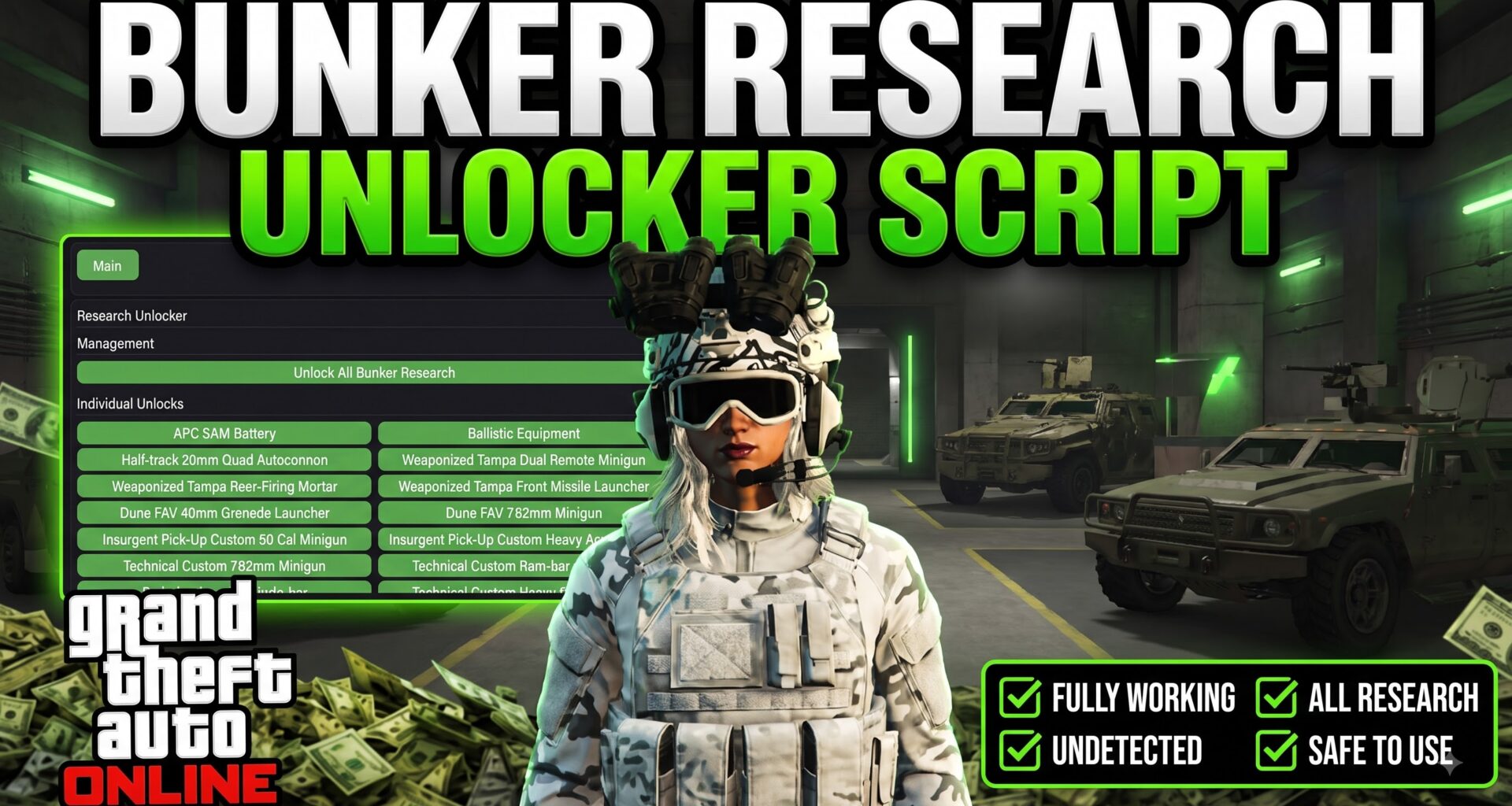
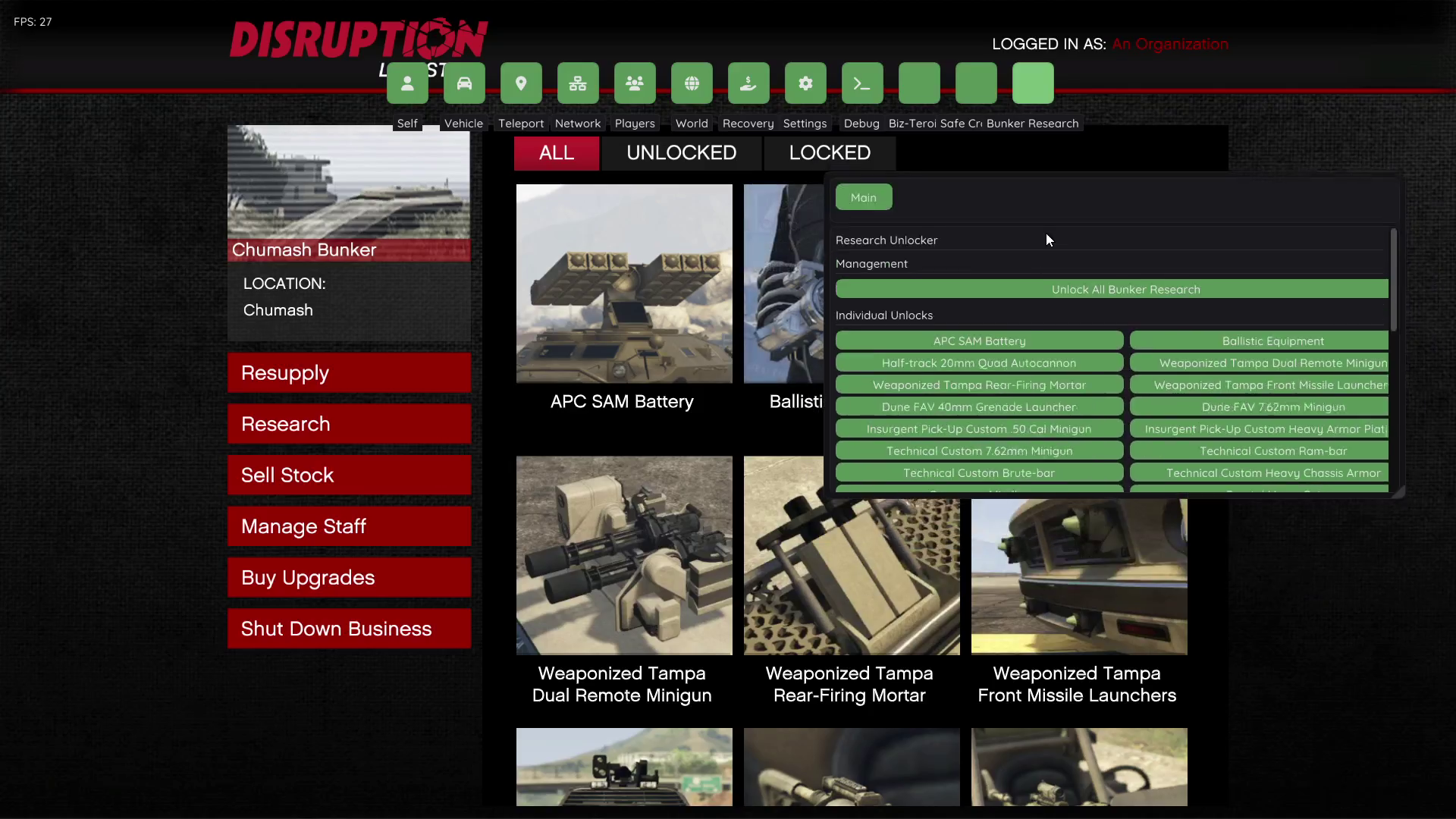
This script uses ImGui Integration for creating a clean and user-friendly interface organized logically. The interface consists of three main areas. First, there is a Management Section containing the Master “Unlock All” button. Second, there is a separate section dedicated to listing all 51 items in a readable 2-column grid format. Lastly, there is a blank space for additional scripting or future development if desired. This organization keeps the maximum amount of screen real estate open while keeping the interface readable.
Session Detection
In addition to being functional when the player is logged into GTA V Online and active in Freemode, the script detects when the player is attempting to use it when offline or transitioning and prompts them to enter a Freemode Session before continuing. This helps prevent errors and maintains proper functioning of the script.
Using the Bunker Research Unlocker
Requirements to Install
Prior to installing the Bunker Research Unlocker, first make sure you have YimMenu successfully installed and operational on your GTA V installation. The script relies upon native function support provided by natives.load_natives(), which loads native functions automatically at the beginning of the script.
Accessing the Menu
After you install the Bunker Research Unlocker, find the “Bunker Research” Submenu in your YimMenu. The script will automatically generate a new “Main” Category within this Submenu so you can quickly find it along side all of the other options available with YimMenu.
Quick Unlock Method
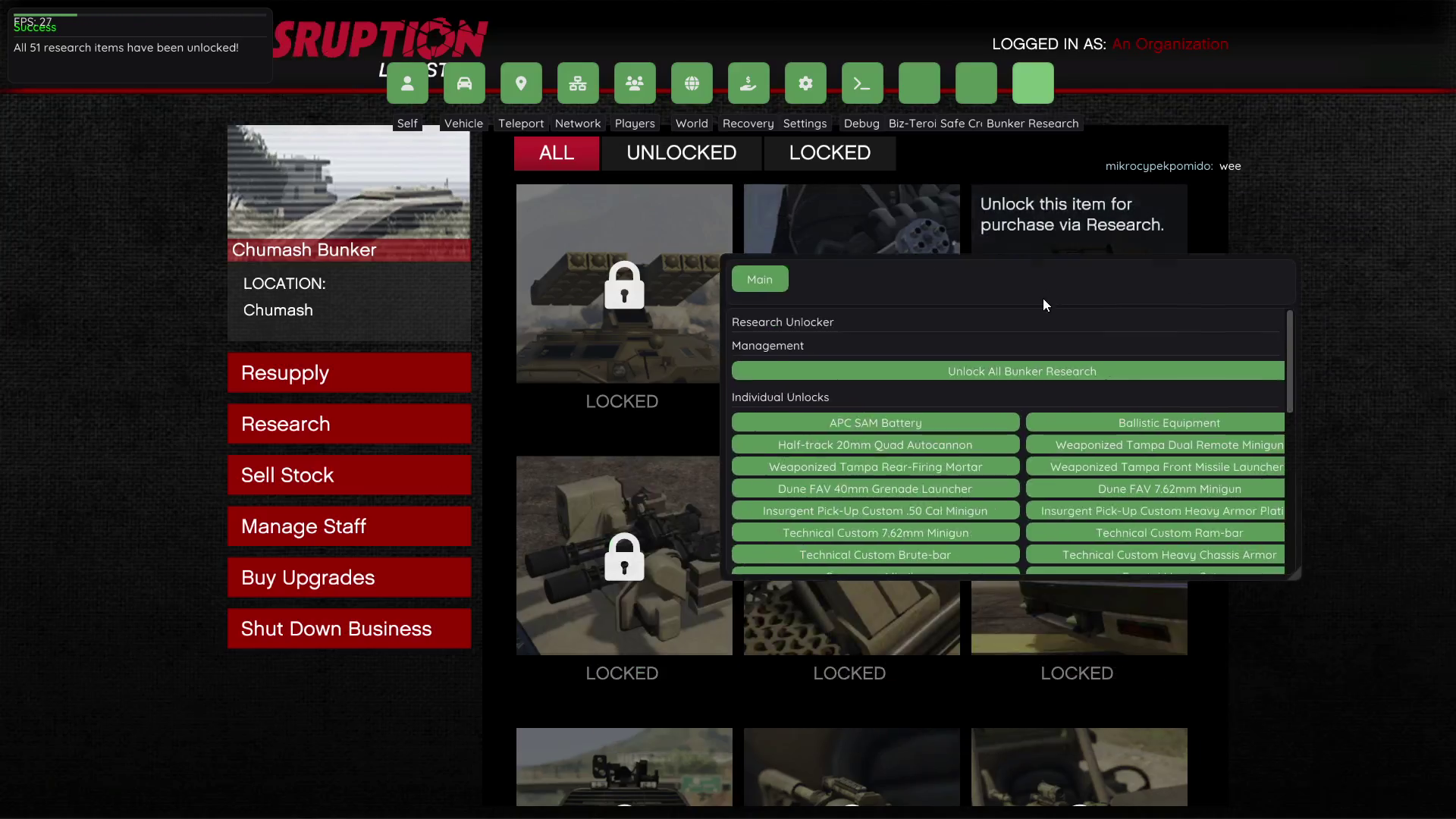
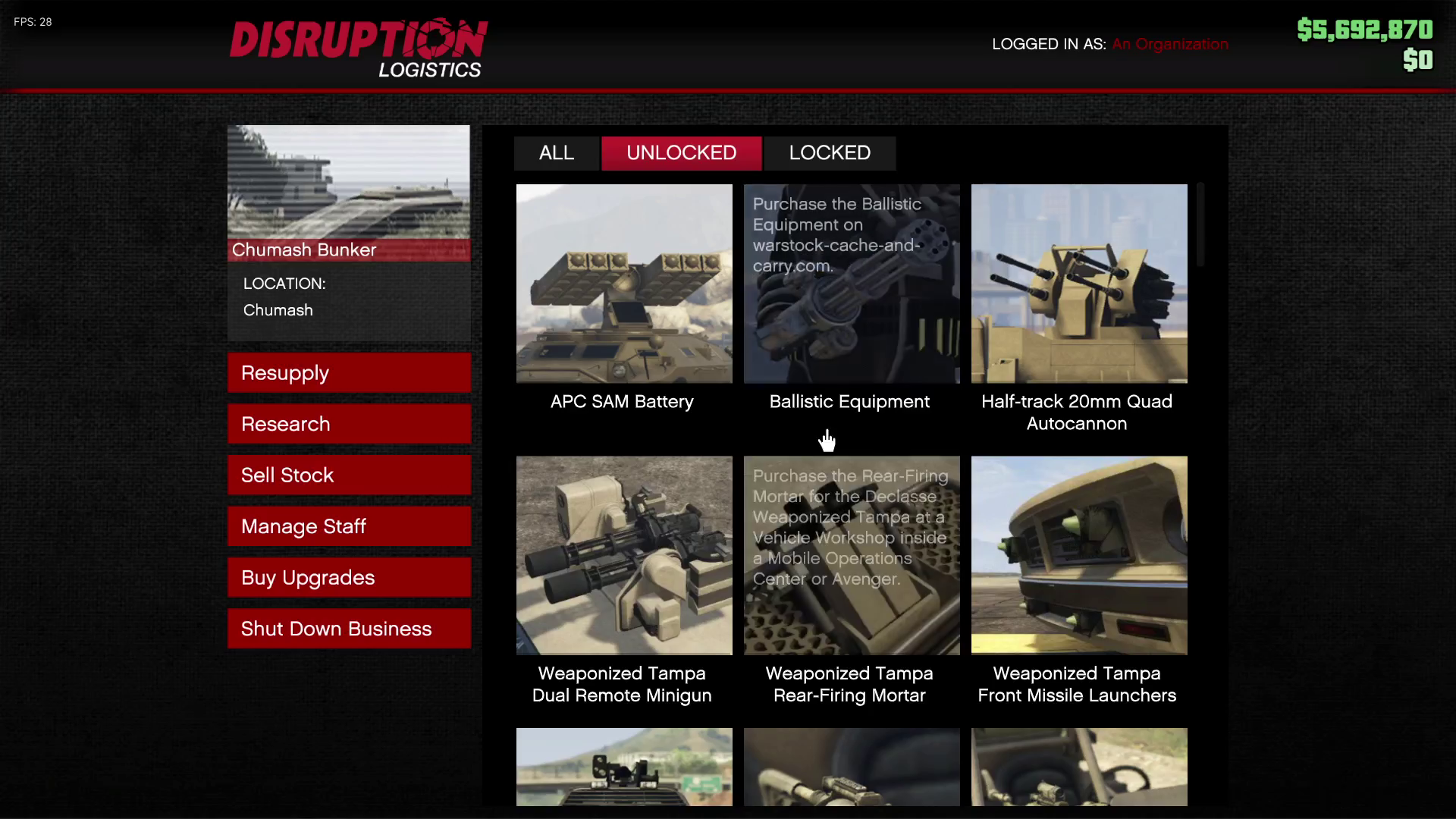
If you want to quickly unlock all 51 Research Items, click on the “Unlock All Bunker Research” Button located near the bottom left corner of the menu. The script will instantly unlock all 51 research items, then notify you that the task was completed. Using this method takes only seconds – much faster than using the normal gameplay method to unlock all 51 research items.
Selective Lockout Option
If you want to selectively unlock some of the research items instead of all at once, go to the “Individual Unlocks” area of the menu and find any research item that you want unlocked. There will be an individual button next to each research item with a green checkmark icon indicating whether it is already unlocked. Simply click on the button corresponding to the research item(s) that you want to unlock and it will become accessible immediately after clicking on it. After clicking on any research item button, you will see a confirmation dialog box pop up stating that the item has been successfully unlocked.
Freemode Requirement
The script automatically determines your current session type. For example, if you are trying to use it while in Freemode, you will be able to interact with the menu normally; however, if you are offline or in transition (loading), it will tell you why you cannot currently use it.
Implementation Details
The Script utilizes YimMenu’s Callback System to perform asynchronous unlocks of all 51 research items to prevent freezing or lagging. Additionally, Stats.set_packed_bool() functions were utilized by the script to toggle all 51 internal boolean variables representing each research item’s enabled state in GTA V’s database. In total, there are 19 packed booleans assigned for each research item ranging from r_ResearchEnabledBool[15381] through r_ResearchEnabledBool[15499], which represent all possible states that any given piece of research may exist in (enabled/disabled).
Part 2: Basic Operation installing the Script
Original YimMenu V2 Script Installation (For Reference)
If you need scripting ability, then you might want to look into YimMenu V1 (previous version), which does allow for Lua scripting.
YimMenu V2 Script Installation:
- Create a new directory for the scripts folder:
%APPDATA%\YimMenu\scripts - Obtain Lua scripts from the community
- Place the .lua files in the scripts folder.
- Relaunch the menu or reload all scripts via the menu.
Popular Script Repository Locations
- Github community collection sites
- YimMenu Discord channel resources
- Collection of user-made script packages.
Master control buttons and targeted unlocks
the user interface of Bunker Research Unlocker YimmenuV2.Lua includes two major methods for changing how your bunkers progress:
Master unlock button:
for users who want to skip the entire process of grinding out each research project, the script features one massive “Unlock All Bunker Research” button. After clicking this button, the script uses a callback loop to iterate through all 51 packed boolean id’s and instantly unlock each and every one of the items from the APC SAM Battery to the Ballistic Equipment for your Juggernaut.
After that, the script will display a success notification confirming that all projects have been unlocked.
Localized selection grid:
for users who prefer a more subtle approach or only want to unlock certain projects, the 2 column grid provides distinct buttons for every single project. By clicking on any individual button, the script will trigger an immediate unlock and display an on-screen confirmation for that specific item.
Using this localized selection grid allows users to immediately grab those most wanted items in the game. Some of those most wanted items include:
Ammunition Types:
the script immediately Unlocks extremely coveted ammo such as Explosive Rounds, Incendiary Rounds, Hollow Point Rounds, full metal jacket rounds and Armor Piercing Rounds. These transforms standard mk ii weapons into extremely lethal PvP tools.
Vehicle Weaponry:
the script grants immediate access to Oppressor Missiles, the anti-aircraft trailer dual 20mm Flak and the Weaponized Tampa dual remote minigun. These are virtually mandatory for navigating the map and defending against grievers.
Mk II Weapon Attachments:
Players can immediately unlock thermal scopes for heavy snipers, night vision scopes for heavy snipers, heavy barrels for all guns, and Holographic Sights for all guns.
Heavy Armor:
upgrades like custom Heavy Armor plating for the insurgent pick-up custom, custom heavy chassis armor for the technical custom, and Custom Ram-bar for the technical custom are available immediately via the menu.
End of Tutorial
🧩 Picture :
🎬 Video Tutorial
