

Kortz Center Heist YimMenu Suite: The Complete Heist Customization and Automation System
Introduction
The Kortz Center Heist Module for YimMenu represents the ultimate way to learn how to play GTA V’s most challenging robbery mission. This extremely advanced C++ development provides players with an incredibly robust and highly configurable set of tools designed to assist them in automating every phase of the Kortz Center heist. Whether it be configuring preparation phases or streamlining the process during active heists, this YimMenu extension will provide players with an unparalleled level of control when playing one of the most profitable yet complex crimes in GTA V.
What is the Kortz Center Heist Menu?
The Kortz Center Heist menu represents a sub-menu suite built specifically into YimMenu that provides players with complete control over heist configuration and execution. Instead of being forced to participate in long setup missions or worry about advancing through heists as they would normally do, players are able to pre-configure their entire heist before entering active mode. They are also able to skip certain minigames and have a high degree of control over what actions occur during each phase of the heist. Essentially, the Kortz Center Heist menu turns a heist from a grind into a highly customizable and streamlined operation.
Implementation Details
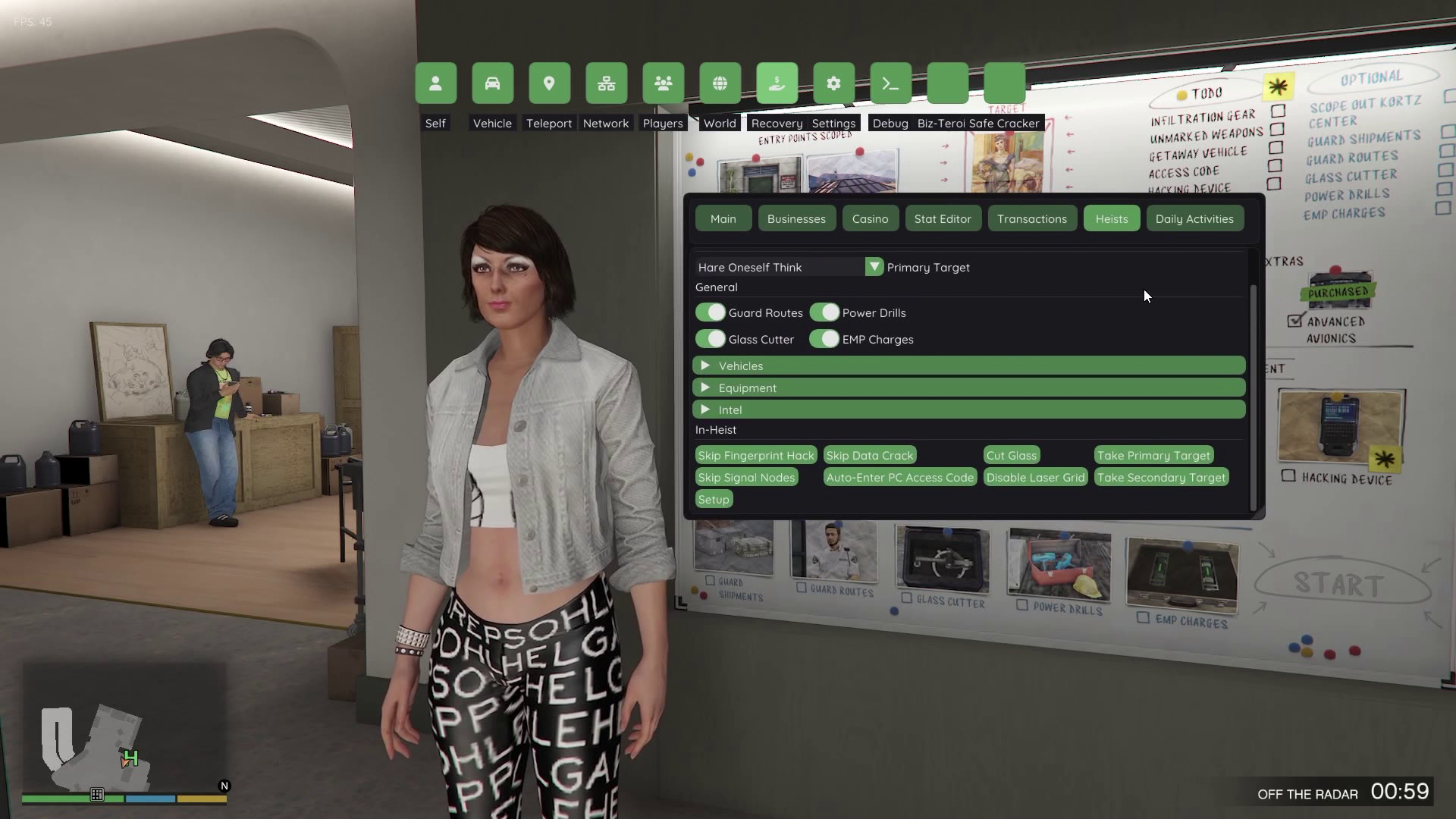
The Kortz Center Heist menu was developed using a highly sophisticated menu structure that utilizes a tabbed interface and collapsable sections to allow players to logically categorize 27+ individual heist functions into easily accessible groups. The organization method used does not clutter the UI while still providing easy access to all heist functions.
Organization Method Used
Primary Target Options
The first group on the menu are the Primary Targets. Each has 27 unique artwork representations. Players can select from expensive works such as “La Derniere Debauche”, “Girl With Pearl Necklace” and “Consumato”. The player selects the target they want based on its monetary value and/or the potential difficulties associated with stealing it. Once the player selects their target, they may begin the planning and preparation phases of the heist.
General Purchases
The next group on the menu is called General Purchases. This group contains toggle switches that correspond to various forms of equipment purchases necessary for completing heists:
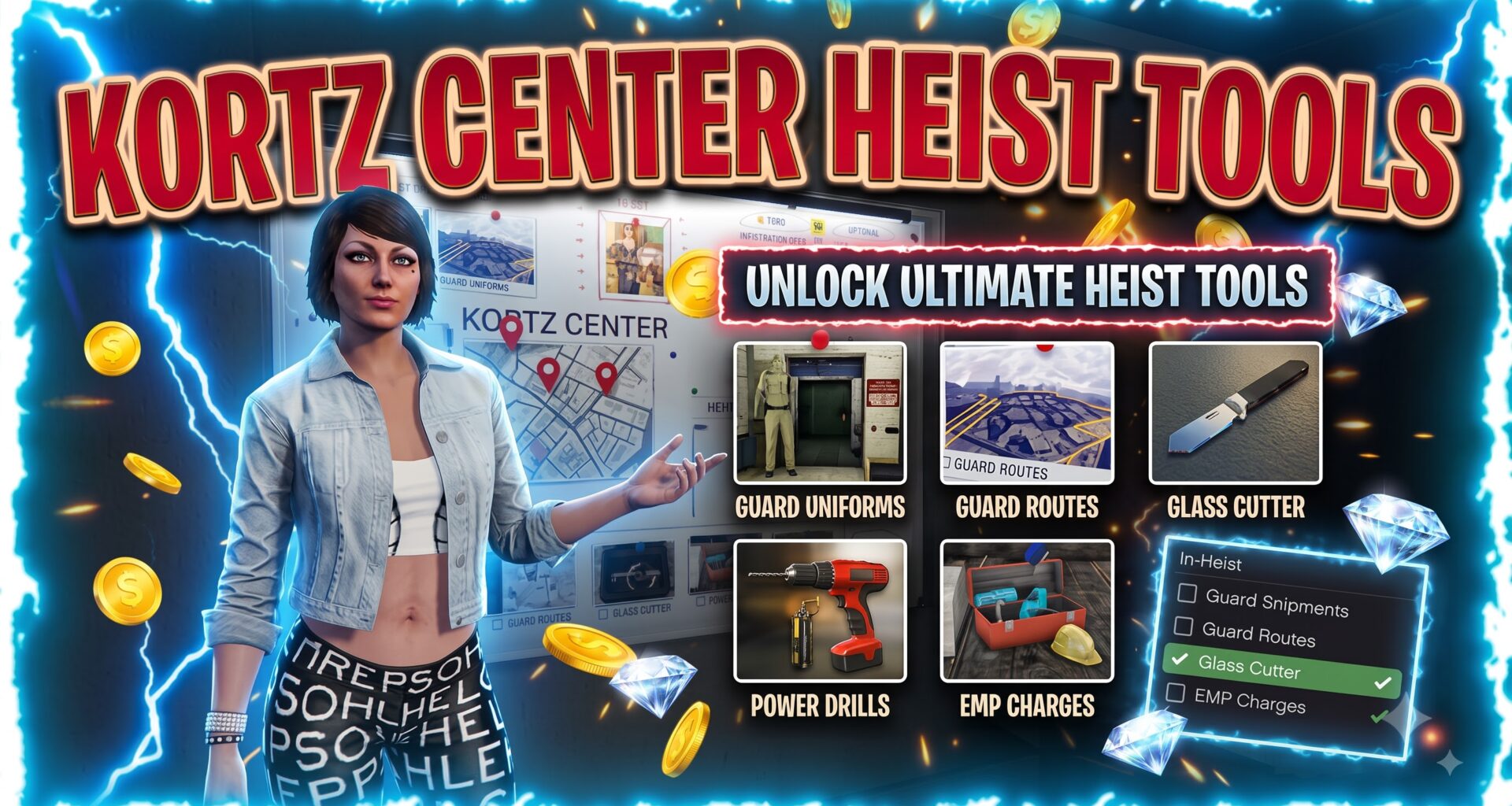
Guard Routes Intelligence
Glass Cutting Tools
Power Drill to access vaults
EMP charges to disable security systems
Players may use these toggle switches to customize their equipment loadout for a particular heist without having to purchase those items via normal gameplay.
Vehicles Header
The Vehicles header is organized similarly to the Prep Vehicle header. It contains all vehicle options, including those needed for transporting themselves and other individuals involved in the heist as well as back-up vehicles during preparation phases.
* Armored Caracara (prep version)
* Annihilator Stealth Helicopter (prep version)
* Manchez Dirt Bike (prep version)
Both Prep Vehicle headers utilize a dual-tracking system that accounts for both Approach Vehicle types and Back-up Transportation types.
Equipment Header
The Equipment header houses 12 different preparation items used to aid in disguising, gaining access to secured areas, etc. These items include:
* Hazmat Suits for Toxic Environments
* Staff Key Cards for Facility Access
* Tactical Equipment for Combat Scenarios
* Hacking Devices for Security Bypassing
* Unmarked Weapons for Avoiding Detection
* Guard Shipment Interception Materials
Each of the above items corresponds to specific Prep Missions found in standard gameplay; however, in this menu, each item is available at any time for configuration.
Intel Header
The Intel header controls Reconnaissance Information.
* Scope out facility reconnaissance.
* Alpha Mail Disguise Intelligence.
* Identify secondary targets.
* Map Points of Interest.
These elements lay the groundwork for the information required for successful heist completion.
In-Heist Actions
The most impressive section of this menu, In-Heist Actions provides real-time heist assistance via automated commands and shortcuts. This feature includes:
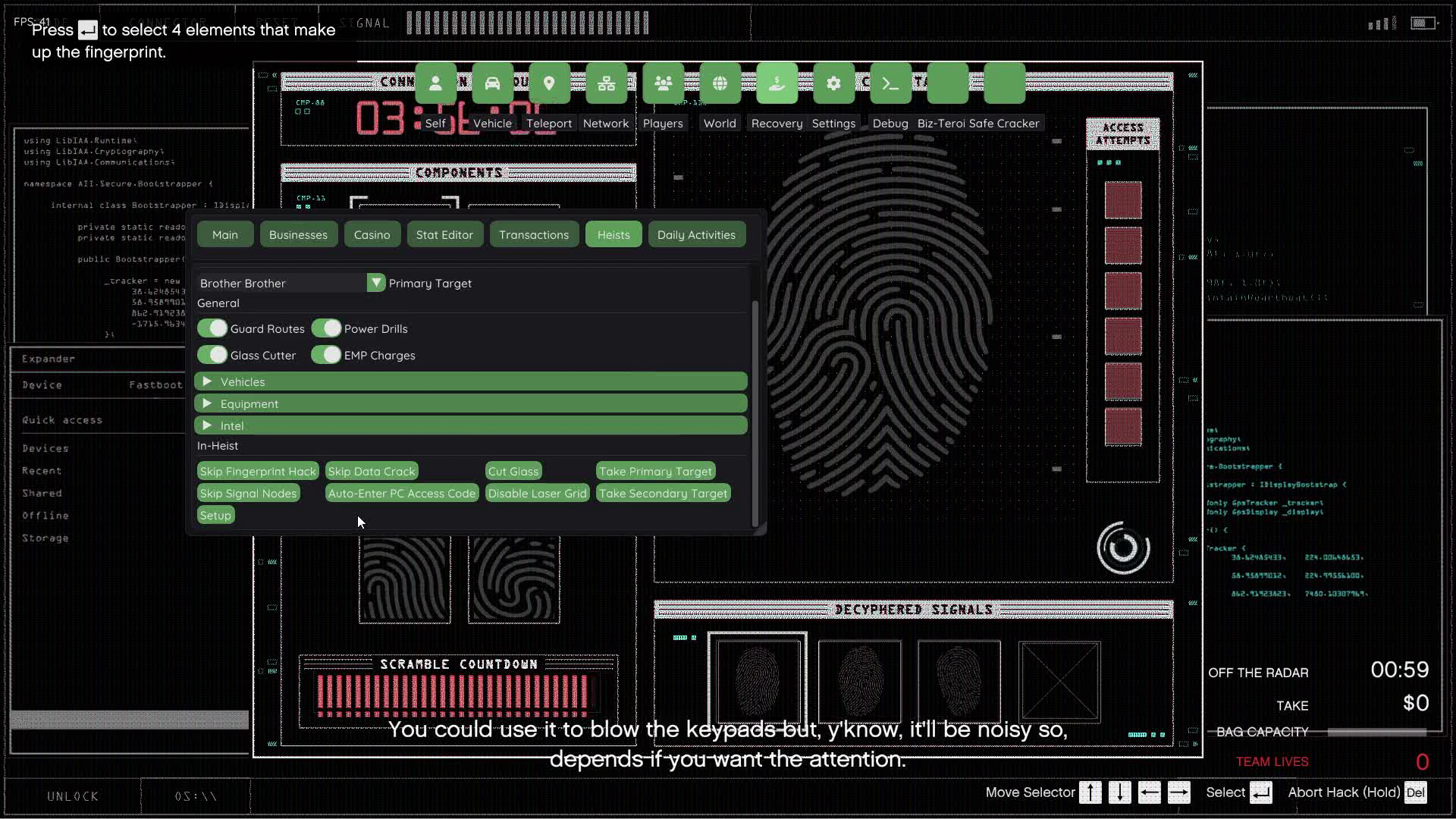
* Skip fingerprint hack minigame.
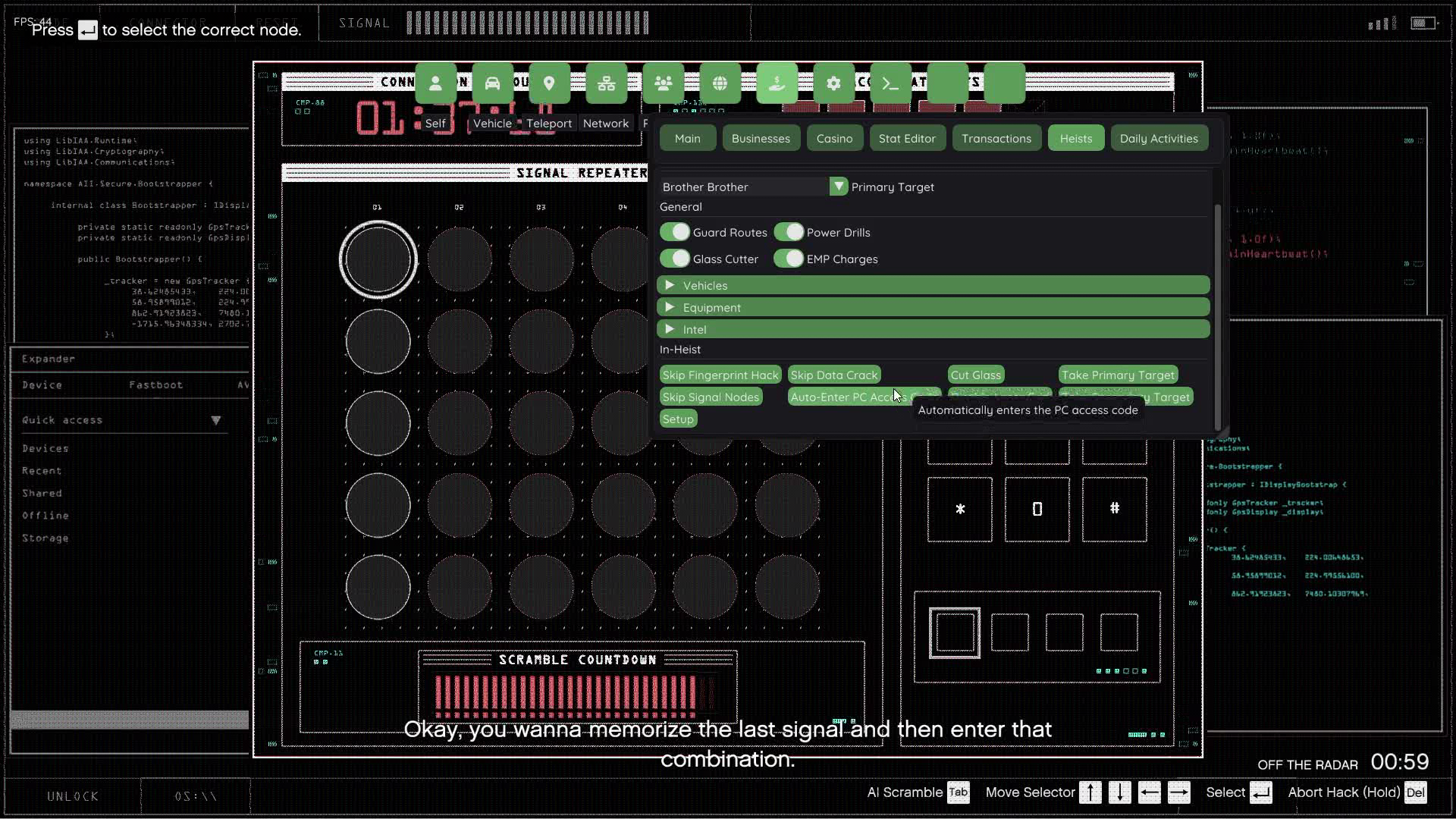
* Skip signal nodes security override.
* Skip data crack puzzle.
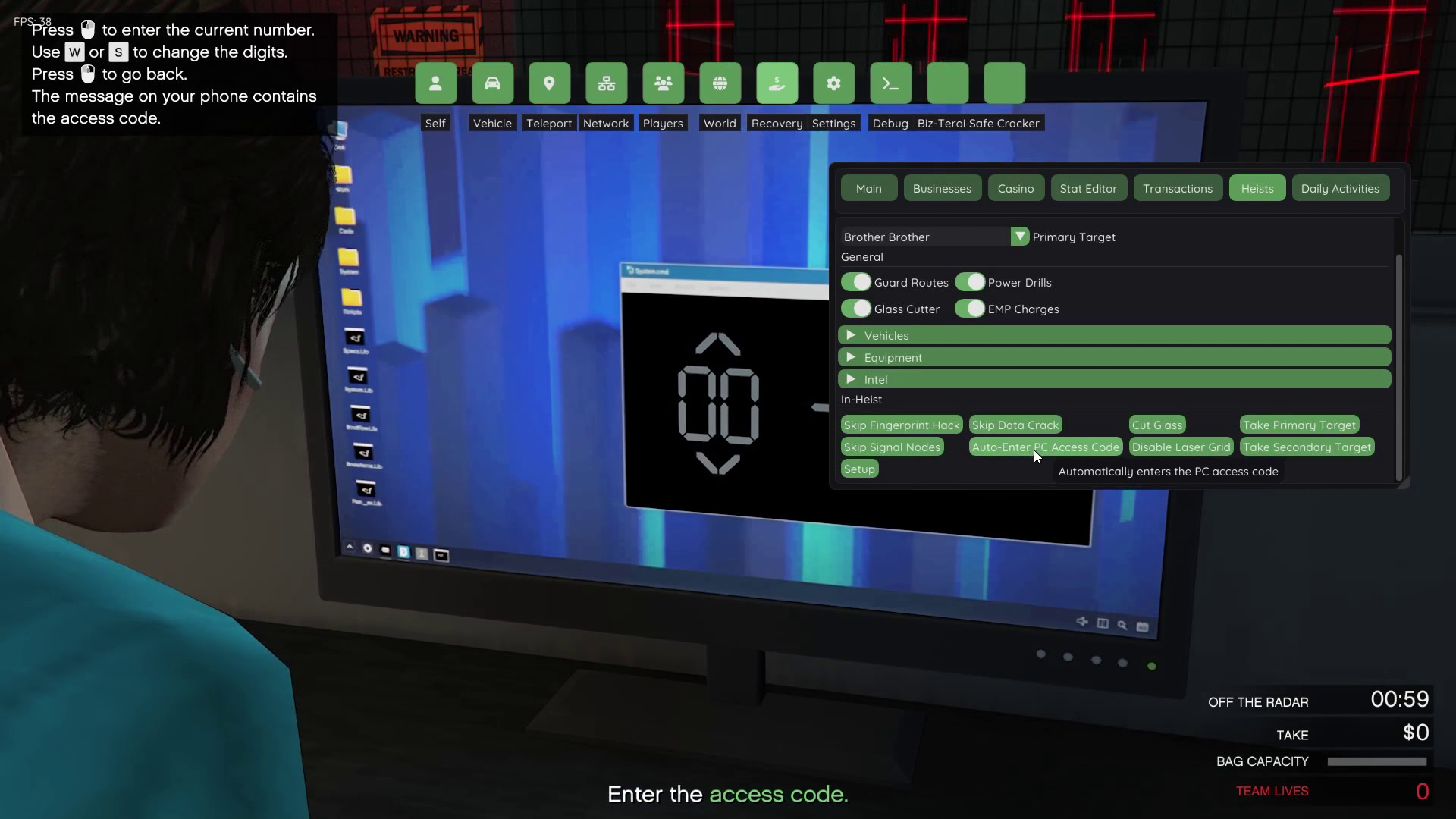
* Auto-enter pc access code.
* Cut glass display case instantly.
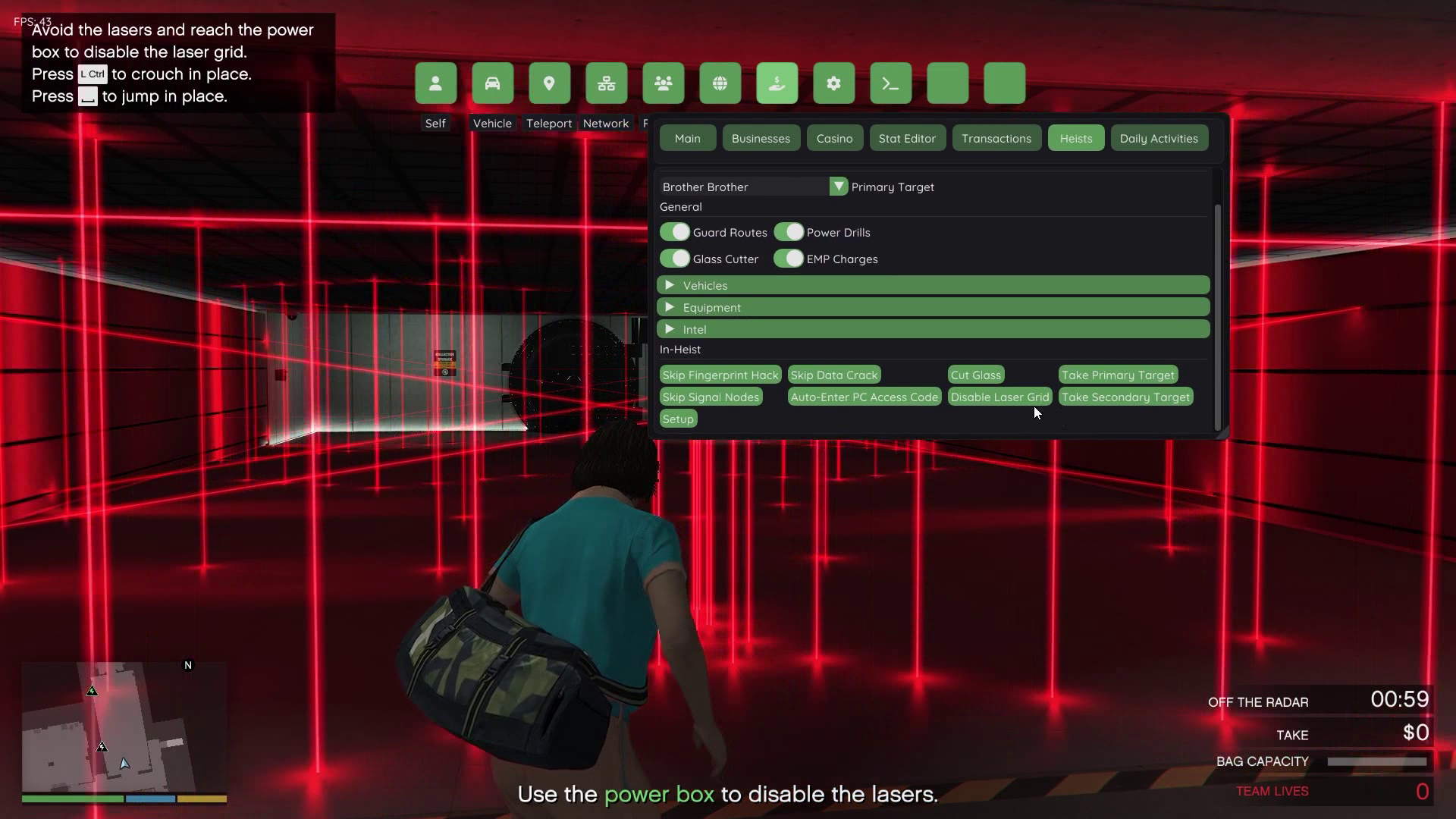
* Disable laser grid security.
* Take primary target painting.
* Take secondary target loot.
All of these features are executed during actual heist missions. Therefore, players will no longer need to waste precious time participating in tedious minigames.
Setup & Execution
The last group includes the Master Setup command. This command applies all selected configuration options directly to the game’s internal heist progression stats in one simple click. As a result, all configuration options chosen by the player will automatically be reflected in GTA V’s statistics database.
Using The Kortz Center Heist Menu
Accessing The Interface
To open the menu, simply start YimMenu then click on “Kortz Center Heist”. The tabbed interface allows all sections of the menu to be viewed within a single window for ease of configuration.
Configuration Before Starting The Heist
Prior to starting the heist, players must toggle on/off any desired equipment, vehicles and intelligence options. A drop-down list is provided for selecting the preferred primary target. Based upon their selection, players will know which general approach strategy they will employ, as well as which resources they will have available to them.
Configuring And Applying Settings
After selecting all desired equipment, vehicles, intelligence and primary targets, players should click the “Setup” button located at the bottom of the screen. All configuration options selected by the player will then be applied to their heist progression. The game’s internal statistics will also be updated automatically, reflecting their customized preparation status.
Executing Commands During Active Heist Missions
Once in an active heist mission, players may access the In-Heist section of the menu to execute real-time assistance commands. These commands function perfectly during gameplay and enable players to quickly pass through frustrating minigames or instantly take possession of objects by simply walking up to them and clicking on the appropriate command.
Additional Features And Benefits
Customizable Level Of Difficulty
Unlike traditional heist progressions where there is little-to-no room for error or customization regarding equipment levels/selections, this menu enables completely customizable difficulty levels. For example, if a player wants to undertake a heist with limited equipment available, they can do so. On the other hand, if they desire every possible advantage in order to maximize their chances of success, they can toggle every single piece of equipment available.
in this article you will learn about the Yim Mod Menu for enhanced which allows you to skip the heist Prep work and all of the startup drama and directly go play the finale. This tool is very safe and undetectable. Also, regardless of whether you use fsl or non-fsl, you can host it yourself and skip the Prep work to finale in one click. Talking to some of the other parts of the tool there are many features that waste our time during the heist such as entering the access code into the system, we always tend to forget the code and enter it to open the grid face Door and then use the fingerprint hack keypad to open the Door and finally match the nodes to exit from the rooftop
How does the tool work :
Launch the tool using the Xenos Injector
Make sure you have turned off Battleye before launching your Game
Using fsl is highly recommended
Always play solo sessions to avoid unnecessary interactions with random players
Instructions to inject :
Make sure you downloaded the mod menu from here and if the mod menu downloads gets deleted automatically then turn off any defender on your system/any third party antivirus as they might capture them as false positive virus
After you down load the tool extract them where ever you like to access easily while extracting if the zip ask for a password then type 123 to access them
Then launch gta enhanced and at the splash screen minimize the Game and open xenos injector and inject the yim dll
After you have injected the Game go to story mode before launching any online session
After the story mode has loaded then join online session by network section under that heist section from the menu
When its loaded then open the menu and check for recovery section under that heist section to find Kortz Center Heist tab
That’s it now you are able to skip the Prep works and as well as to look at your friends
Kortz center heist modifier for gta online
The kortz center heist modifier is a modification element created specifically for use with gta online modifications utilizing the YimMenu framework. It supplies a dedicated ui for modifying all aspects of the kortz center heist.
The available configurations are organized into distinct sections so users do not have to browse through numerous options in order to find the areas of the heist they want to configure. The organization of the options in this manner greatly simplifies the process of understanding what elements of the heist have already been modified prior to executing the mission.
The provided code implements a new **kortz center heist** tab on the menu where all of the available configuration options will reside. The configuration options for the heist are categorized.
What is the Kortz Center Heist Modifier?
the Kortz Center Heist Modifier is simply a configuration ui for the kortz center heist. The code establishes commands that interact with GTA Online’s heist-related stats and mission script state.
The main menu contains tabs for primary target, general configuration, Vehicles**, equipment, intel, and un-heist options. Additionally there is a setup command that will apply all the user-selected configurations.
As you can see in the source code, the modifier utilizes gta related stats (e.g., MPX_K26_GENERAL_BS, mpx_k26_robbery_prog, mpx_k26_scoping_bs, etc.) to save the user-selected configuration.
Since this is a modification intended for gta online, users need to be aware that not all third-party modifications will receive support from rockstar games and may cause issues with their online sessions/account.
Choosing your primary target
Your ability to choose your primary target begins at the top of the menu. As shown below, the modifier has established a selectable list that contains 27 possible target entries. Some examples of Targets include *la dernière débauche*, *hare oneself think*, *trust*, *until Death*, *what Melons?*, and *mi o melee*.
When you click on a primary target entry in the list and apply the setup action, it writes out the corresponding value to your heist target stat. Therefore, this ui allows users to easily pick which primary target they would like to associate with their previously selected heist config.
Understanding how this modifier separates selecting a primary target from other pre-mission prep tools can help with understanding how this modifier works.
Pre-mission prep configuration options
Configuration options are found under the **general** category. This category includes four config options:
* Guard Routes
* Glass Cutter
* Power Drills
* emp Charges
All of these options are implemented as Boolean commands. This means users can toggle them on/off as needed until they execute the setup command. When executed, the setup command converts these selections into individual bits stored in your general configuration stat. Using an integer stat to represent multiple prep options gives you more room to customize your heist without having to create additional stats.
Vehicle configuration
Another key area of customization is Vehicles. The provided code allows you to select between three base vehicle types:
* armored caracara
* annihilator stealth
* manchez
Additionally, there are separate config options available for each vehicle type.
Having both vehicle selection and config options available separately provide more flexibility in terms of customizing your heists. Therefore, the menu serves as a central location to review and compare vehicle-related settings.
Configuring your equipment & preparation options
Under **equipment**, you’ll find many more options for preparing for the heist. These options include:
* Hazmat Suit
* staff Key Card
* Tactical Equipment
* hacking Device
* access code
* Unmarked Weapons
* Guard Shipments
* emp preparation
You’ll also find some vehicle-specific config options for Guard Routes, Glass Cutter, Power Drills, emp Charges, and your Vehicles.
Organizing your equipment and preparation options together make navigating the modifier much easier since they’re group together instead of being listed linearly.
Reconnaissance & Scoping
You’ll also find several options for reconnaissance-related activities in the **intel** section of the modifier. These options include:
* scope out
* Alpha mail disguise
* secondary Targets
* Points of interest
As shown above, the source has separated the initial scope-out option from secondary Targets and Points of interest. This enables you to configure each independently.
Once you’ve applied these configs in the setup command, they are combined into your scouting and point-of-interest configuration stats.
Optional in-heist shortcuts
Lastly, under **in-heist**, you’ll find various optional shortcuts that allow you to manipulate certain elements of the heist during execution. Examples include:
* skip fingerprint hack
* skip signal nodes
* skip data crack
* Auto-enter PC access code
* cut glass
* disable laser grid
Also included are shortcuts for picking up both primary and secondary Targets when located near the relevant objective.
Examples of these features working can be seen in the implementation details of fingerprint hack and signal node shortcuts. Both of these shortcuts directly access the mission controller script and modify relevant local variables. Similarly, the data crack shortcut modifies mission-related variables when available.
Keep in mind that these features serve as optional mods rather than default gta online features.
How the Setup Option functions
The **Setup** Option combines all configurations. The implementation checks each of the options in general and preparation and translates them into configuration values for gta. The implementation then saves those values (general configuration, robbery progress, scoping, points of interest, etc.) to gta’s statistics system. Users don’t need to adjust each of their settings separately. Instead they can configure the categories they want to do first and apply the complete Setup later.
Organizing the menus
To provide a better user experience, from a user interface point of view, the Modifier is organized in different groups, and collapsible sections. The implementation creates a specific **Kortz Center Heist** tab and places primary target, general, Vehicles, Equipment, Intel, in-heist, and Setup controls within it.
Organization makes sense when dealing with multiple settings. Instead of looking around for unrelated settings, users can simply open up the correct area and browse what options are available to them.
Final thoughts
The Kortz Center Heist Modifier provides a central configuration mechanism for users who experiment with GTA Online mods. Its primary goal is to organize things; target selection, requirements for preparation, vehicle options, equipment options, reconnaissance options, and in-heist shortcuts are located in their own respective menus.
Additionally, provided implementation shows how an external Modifier can link a gui to GTA Online statistics and mission script values. For anyone who wants to create gta mods, this source is an excellent way to show how individual commands can be combined into a single feature.
Again, similar to any third-party modification for an online Game, users must consider the potential risks and the applicable Game rules before deciding to use it. The Modifier is not an officially supported part of GTA Online and may behave differently depending upon the version of the Game used and/or the surrounding mod-menu environment.
🧩 Picture :
🎬 Video Tutorial
